| Ripple Effect | ||

|
||
|
The Pinch effect distorts the image as if it had been rippled.
|

Settings
|
Workings
|
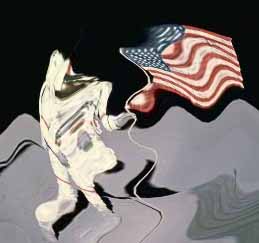
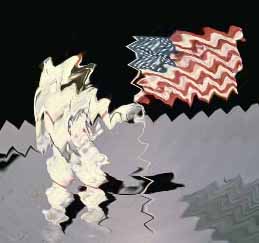
The effect is very similar to a pond ripple. The image is distorted as if it was projected onto the surface of a pond and then a stone had been dropped into the middle.
|
Example
|
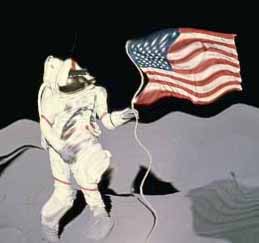
The following example images show the effect of a Ripple filter applied to a picture with different settings.
void function() {
  using (Doc doc = new Doc()) {
    AddImagePage(doc, img3); // original image
    doc.Rendering.Save("EffectRipple.jpg");
    using (ImageLayer layer = AddImagePage(doc, img3)) {
      using (EffectOperation effect = new EffectOperation("Ripple")) {
        effect.Apply(layer.PixMap);
      }
    }
    doc.Rendering.Save("EffectRippleDefault.jpg");
    using (ImageLayer layer = AddImagePage(doc, img3)) {
      using (EffectOperation effect = new EffectOperation("Ripple")) {
        effect.Parameters["Height"].Value = 15;
        effect.Apply(layer.PixMap);
      }
    }
    doc.Rendering.Save("EffectRippleHeight15.jpg");
    using (ImageLayer layer = AddImagePage(doc, img3)) {
      using (EffectOperation effect = new EffectOperation("Ripple")) {
        effect.Parameters["Length"].Value = 10;
        effect.Apply(layer.PixMap);
      }
    }
    doc.Rendering.Save("EffectRippleLength10.jpg");
  }
}
|