| Import Function | ||

|
||
|
Imports selected frames of a Flash movie.
|

Syntax
|
[C#]
|
 may
throw Exception()
 may
throw Exception()
Params
|
Notes
|
Imports selected frames of a Flash movie. By default, only one frame is imported. ActionScript 2 or below is supported. ActionScript 3 is not supported.
You must specify a Doc before the ProcessingObject event of ProcessingSourceType.ImageFrame returns/is handled. An exception will be thrown if the operation is not possible. This may happen if the Flash movie is corrupt.
Unless stated otherwise, a ProcessedObject event corresponding to each ProcessingObject event is generated.
Imported images are not compressed. You may wish to analyse and compress these PixMap objects by pre and post processing them during the ProcessingObject and ProcessedObject events.
|
Example
|
See the SwfParameters.FlashVars property or the ProcessingInfo.FrameNumber property for simple examples.
|
||
|
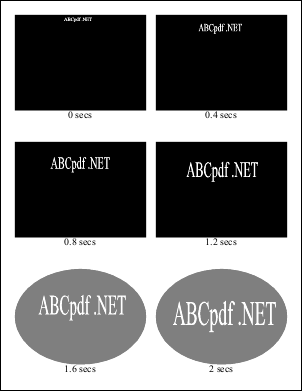
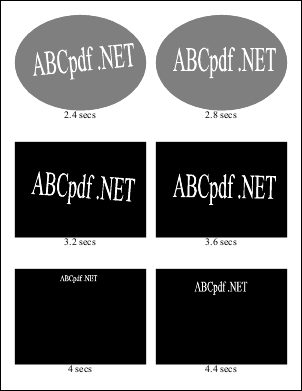
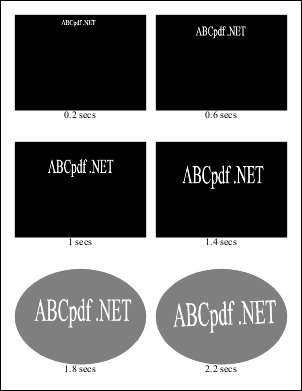
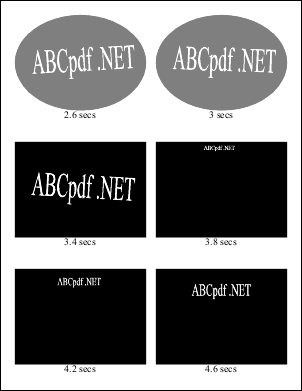
Here we import 24 frames from a Flash movie alternately into two PDF documents. The frames are 0.2 seconds apart. Doc.Rect is set so that the outputs are 6-up and preserve the aspect ratio. For the fifth to the eighth imported frames in each document, the background is suppressed and a transparent oval in the same color is drawn instead.
using Doc doc1 = new Doc();
using Doc doc2 = new Doc();
using (var operation = new SwfImportOperation()) {
  const int fontSize = 20;
  int k = 0;
  bool failed = false;
  operation.ProcessingObject += delegate (object sender, ProcessingObjectEventArgs e) {
    switch (e.Info.SourceType) {
      case ProcessingSourceType.MultiFrameImage:
        if (failed || k >= 24)
          e.Info.FrameNumber = null;
        else
          e.Info.FrameNumber = 1 + Convert.ToInt64(0.2 * k * e.Info.FrameRate.Value);
        e.Tag = ProcessingSourceType.MultiFrameImage;
        break;
      case ProcessingSourceType.ImageFrame: {
          SwfImportOperation op = (SwfImportOperation)sender;
          op.Doc = op.Doc == doc1 ? doc2 : doc1;
          const int distance = 20;
          const int margin = 30;
          double width = op.Doc.MediaBox.Width - 2 * margin;
          double height = op.Doc.MediaBox.Height - 2 * margin;
          double scale = Math.Min((width - distance) / (2 * e.Info.Width.Value),
            (height - 2 * distance - 3 * fontSize) / (3 * e.Info.Height.Value));

          int p = k / 2;
          double rectWidth = scale * e.Info.Width.Value;
          double rectHeight = scale * e.Info.Height.Value;
          op.Doc.Rect.SetRect(margin + (width + distance) * (p % 2) / 2,
            margin + height - rectHeight - (height + 2 * distance) * (p / 2 % 3) / 3,
            rectWidth, rectHeight);
          if (p % 6 == 0)
            op.Doc.Page = op.Doc.AddPage();
          if (p >= 4 && p < 8 && e.Info.BackgroundColor != null) {
            op.BackgroundRegion = null;
            op.Doc.Color.String = e.Info.BackgroundColor.String;
            op.Doc.Color.Alpha = 127;
            op.Doc.AddOval(true);
          }
        }
        break;
    }
  };
  operation.ProcessedObject += delegate (object sender, ProcessedObjectEventArgs e) {
    if (!e.Successful) {
      failed = true;
      return;
    }
    if (e.Tag is ProcessingSourceType
      && (ProcessingSourceType)e.Tag == ProcessingSourceType.MultiFrameImage) {
      SwfImportOperation op = (SwfImportOperation)sender;
      op.Doc.Color.Gray = 0;
      op.Doc.Color.Alpha = 255;
      op.Doc.FontSize = fontSize;
      op.Doc.TextStyle.HPos = 0.5;
      op.Doc.Rect.Top = op.Doc.Rect.Bottom;
      op.Doc.Rect.Bottom = op.Doc.MediaBox.Bottom;
      op.Doc.AddText(string.Format("{0} secs", 0.2 * k));
      ++k;
    }
    PixMap pixmap = e.Object as PixMap;
    if (pixmap != null)
      pixmap.Compress();
  };
  operation.Import("../Rez/ABCpdf.swf");
}
doc1.Save("swf1.pdf");
doc2.Save("swf2.pdf");
swf1.pdf swf2.pdf Also see example code in: ProcessingInfo FrameNumber Property. |