| MakeFormXObject Function | ||

|
||
|
Makes a FormXObject out of the page.
|

Syntax
|
[C#]
|
Params
|
Notes
|
Makes a FormXObject out of the page. This process involves copying the page content stream to a new Form XObject and referencing any required resources. The current page is left unaltered. The returned FormXObject shares the same ObjectSoup as its source Page and can be added to other pages using AddXObject or similar methods. Form XObjects do not have Annotations so any annotation based markup will be lost unless you Annotation.Stamp the visual appearance into the page before calling this function. The boundaries of the Form XObject are taken to be the CropBox of the page. If you wish to use a different page bounding box you can adjust the FormXObject.BBox after the MakeFormXObject method has been called. The page is converted without any page rotation effects. If you wish to rotate the Form XObject this can be done by adjusting the FormXObject.Matrix after the MakeFormXObject method has been called. The page UserUnit property may be used to scale a page for mapping PDF coordinates to physical coordinates. There is no equivalent for the FormXObject so this value is discarded. Form XObjects inherit the graphics state of the page they are placed on. In general you do not want this to happen as the placed object will vary in appearance depending on the content already on the page. To avoid this we reset the graphics state at the start of the Form XObject to be the same as at the start of the page. For finer control over this process you can specify a gstate to become a Graphics State Parameter Dictionary and a prefix of state changes to be made at the start of the Form XObject. The default values are,
We do not set the SA (stroke adjustment) because, although the PDF specification says it should be false, different tools use different defaults and setting it explicitly can lead to changes in output. As an alternative to setting the graphics state you can draw your destination page into a Form XObject and replace the page content with that Form XObject prior to placing other Form XObjects on the page. Because all page content is in Form XObjects and there are no state changes on the page there is no need to reset the state for each of them.
|
Example
|
This example shows how to take a page, convert it into a separate drawing object and then draw it, scaled, onto the page it came from.
using var doc = new Doc();
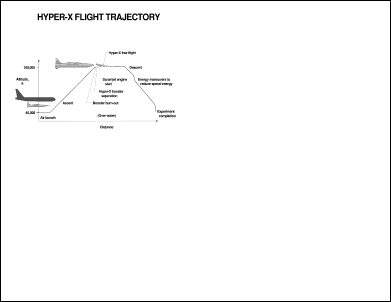
doc.Read("../mypics/HyperX.pdf");
var page1 = doc.ObjectSoup[doc.Page] as Page;
var form = page1.MakeFormXObject();
doc.Transform.Magnify(0.5, 0.5, 0, 0);
doc.Page = doc.AddPage();
var page2 = doc.ObjectSoup[doc.Page] as Page;
string name = page2.AddResource(form, "XObject", "Iabc");
// Here we create our own layer for the purposes of the demonstration.
// However a simpler approach would be to use Doc.AddXObject.
var layer = new StreamObject(doc.ObjectSoup);
layer.SetText(String.Format("q {0} cm /{1} Do Q ", doc.Transform.ToString(), name));
page2.AddLayer(layer);
doc.Save("exampleformxobject.pdf");
|