| UseScript Property | ||||||||||

|
||||||||||
|
|

Notes
|
This property determines whether JavaScript and VBScript are enabled. By default client-side script such as JavaScript is enabled when rendering HTML documents. You may wish to change this default setting for performance or security reasons. The ABCChrome engine relies on JavaScript for HTML analysis. If you disable it the HtmlOptions.Media, HtmlOptions.AddForms, HtmlOptions.AddTags and HtmlOptions.OnLoadScript will cease to operate. In addition the HtmlOptions.BrowserWidth zero setting, which allows the page autosize behavior, will default to the HtmlOptions.InitialWidth setting. If you have a server edition of Windows (e.g. Windows Server
2008) and are using the MSHTML engine, you may need to also disable
Enhanced Security Configuration for user running the
program/application pool to allow JavaScript execution.
|
Example
|
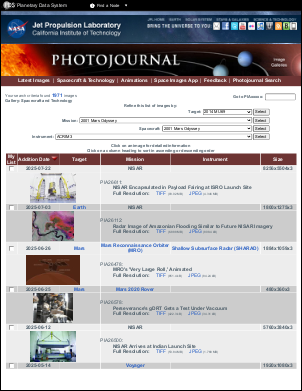
The following example shows one method of crawling and transferring an entire site to PDF. Here, we use JavaScript to determine the links present on the page. However, you could equally well use the HtmlCallback to do the same thing.
using var doc = new Doc();
string uri = "https://photojournal.jpl.nasa.gov/gallery/snt";
// Set HTML options
doc.HtmlOptions.AddLinks = true;
doc.HtmlOptions.UseScript = true;
doc.HtmlOptions.PageCacheEnabled = false;
// JavaScript is used to extract all links from the page
doc.HtmlOptions.OnLoadScript = "var hrefCollection = document.all ? document.all.tags(\"a\") : document.getElementsByTagName(\"a\");" +
  "var allLinks = \"\";" +
  "for(i = 0; i < hrefCollection.length; ++i) {" +
  "if (i > 0)" +
  "  allLinks += \",\";" +
  "allLinks += hrefCollection.item(i).href;" +
  "};" +
  "document.documentElement.abcpdf = allLinks;";
// Array of links - start with base URL
var links = new ArrayList();
links.Add(uri);
for (int i = 0; i < links.Count; i++) {
  // Stop if we render more than 20 pages
  if (doc.PageCount > 20)
    break;
  // Add page
  doc.Page = doc.AddPage();
  int id = doc.AddImageUrl(links[i] as string);
  // Links from the rendered page
  string allLinks = doc.HtmlOptions.GetScriptReturn(id);
  string[] newLinks = allLinks.Split([ ',' ]);
  foreach (string link in newLinks) {
    // Check to see if we allready rendered this page
    if (links.BinarySearch(link) < 0) {
      // Skip links inside the page
      int pos = link.IndexOf("#");
      if (!(pos > 0 && links.BinarySearch(link.Substring(0, pos)) >= 0)) {
        if (link.StartsWith(uri)) {
          links.Add(link);
        }
      }
    }
  }
  // Add other pages
  while (true) {
    doc.FrameRect();
    if (!doc.Chainable(id))
      break;
    doc.Page = doc.AddPage();
    id = doc.AddImageToChain(id);
  }
}
// Link pages together
doc.HtmlOptions.LinkPages();
// Save the document
doc.Save("HtmlOptionsJavaScript.pdf");
Also see example code in: ABCpdf Paged HTML Example.
|